
You reach for your AirPods before leaving home, tuck the charging case into a pocket and press play. It is a routine that feels almost automatic—until a new generation arrives and makes you wonder whether you are missing something.
With AirPods 5 vs. AirPods 4, the answer depends on which AirPods 4 you own and how you use them. Apple offered AirPods 4 both with and without Active Noise Cancellation (ANC). AirPods 5 include ANC on both models, with a choice between a USB-C charging case and a wireless charging case. That distinction matters before comparing features or deciding whether to upgrade.
Here is what changed, what stayed familiar and how to decide which generation fits your day.
AirPods 5 vs. AirPods 4: The Differences at a Glance
| Feature | AirPods 4 | AirPods 5 |
|---|---|---|
| Design | Open-ear fit | Open-ear fit |
| Noise cancellation | Available on the ANC model; not on standard AirPods 4 | Included on both AirPods 5 models |
| Charging choices | Standard USB-C case or wireless charging case with the ANC model | USB-C case or Wireless Charging Case, depending on model |
| Controls | Force sensor | Force sensor; volume swipe on the Wireless Charging Case model |
| Dust, sweat and water resistance | IP54 rating | IP57 rating |
Specifications in this guide are based on Apple’s AirPods comparison and AirPods 5 announcement. Battery results and feature availability depend on usage, device, software and region.
Design and Comfort: Familiar Open-Ear Feel
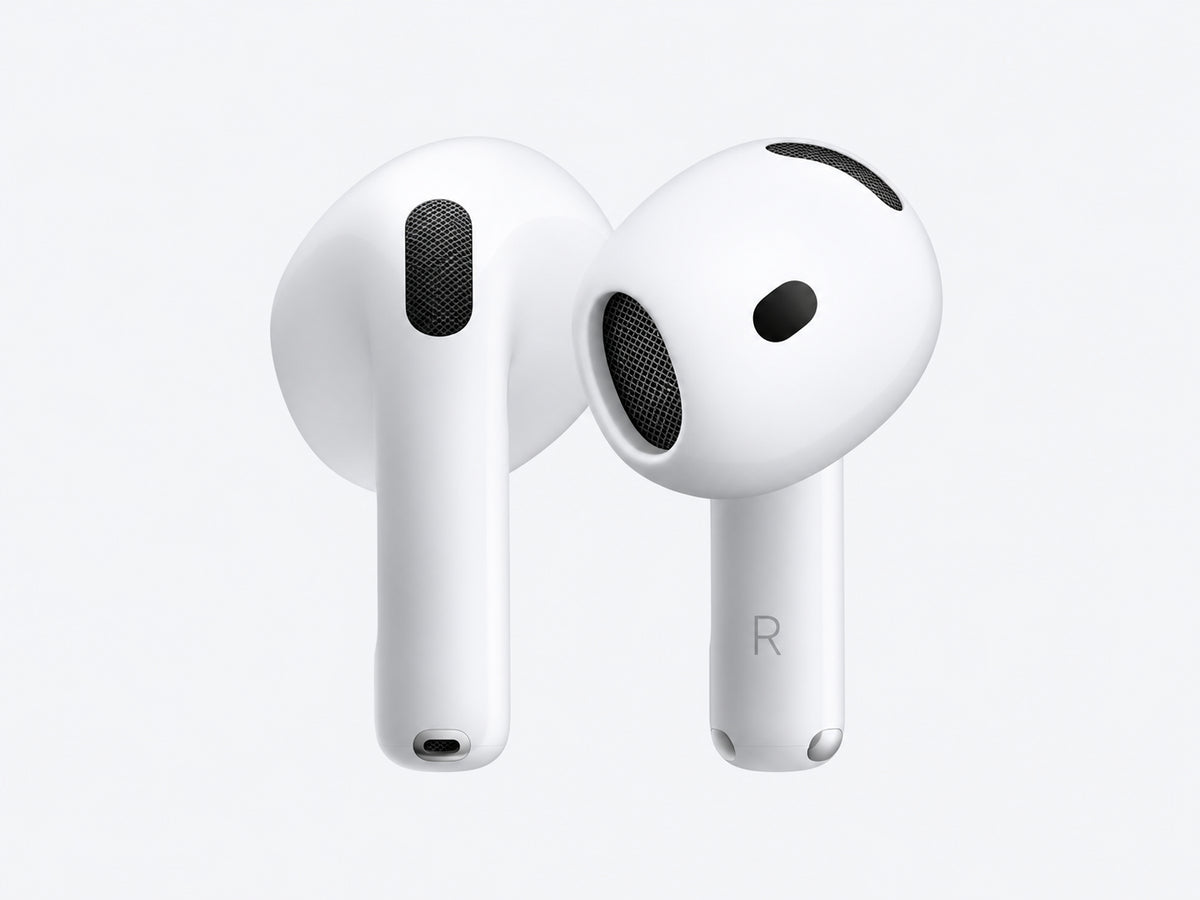
Both generations use an open-ear design rather than the silicone ear tips associated with AirPods Pro. If you prefer earbuds that sit without an in-ear seal, that familiar approach remains part of the AirPods 5 experience.
Comfort is personal, though. The shape of your ear, how long you listen and whether the earbuds stay comfortable while walking all matter more than a specification sheet. If your AirPods 4 feel good for hours, do not assume you need a replacement just for a new model number. If possible, try the newer fit before deciding.
Verdict: The open-ear design stays familiar. How either generation feels in your ears is the deciding detail.
Noise Cancellation: A Bigger Change for Some AirPods 4 Owners
The first question is whether your AirPods 4 have ANC. The standard AirPods 4 did not include it, while the AirPods 4 with Active Noise Cancellation did. Both AirPods 5 models include ANC, Transparency and Adaptive Audio.
If you already own AirPods 4 with ANC, Apple says AirPods 5 remove up to 50% more external noise compared with that model under its testing conditions. That does not mean every sound will be half as loud; the difference you notice depends on the environment and fit.
For a commute, a café or a shared workspace, stronger noise control may make an upgrade appealing. If you mostly listen in quiet places—or like hearing everything around you—the improvement may be less important to your routine.
Verdict: AirPods 5 bring ANC to both models. The size of the upgrade depends on whether your AirPods 4 already have it.
Sound and Everyday Controls
Apple describes AirPods 5 as using a new multiport acoustic architecture and updated Adaptive EQ. Both generations support Personalized Spatial Audio with dynamic head tracking on compatible devices. Those features are useful to compare, but sound preferences and fit vary; the best choice is the one that makes your own music, calls and podcasts enjoyable.
Controls need a closer look at the model name. AirPods 5 with Wireless Charging Case add a volume-swipe gesture on the stem. The standard AirPods 5 use a force sensor without that volume-swipe feature. If you often change volume during a walk without reaching for your phone, that distinction could make the wireless model more convenient.

Battery and Charging: Compare the Right Versions
Apple rates standard AirPods 5 for up to 4 hours of listening on one charge with ANC enabled. AirPods 5 with Wireless Charging Case are rated for up to 5 hours with ANC enabled; the case brings total listening to up to 22 hours with ANC. AirPods 4 with ANC are rated for up to 4 hours on one charge and up to 20 hours with the case, with ANC enabled.
Standard AirPods 4 are rated differently because they do not have ANC: up to 5 hours on one charge and up to 30 hours with the case, with noise control off. These are not identical testing conditions, so compare the model and listening mode you actually use rather than assuming every AirPods 5 configuration lasts longer.
Charging is similarly model-dependent. AirPods 5 with Wireless Charging Case support USB-C, Apple Watch chargers and Qi-compatible chargers. Standard AirPods 5 use a USB-C charging case. With AirPods 4, wireless charging was available with the ANC model; the standard model used USB-C.
Verdict: If wireless charging and a longer ANC listening session matter, look specifically at AirPods 5 with Wireless Charging Case.

Durability and Features
Apple lists AirPods 5 at IP57 for dust, sweat and water resistance, compared with IP54 for AirPods 4. Resistance is not permanent, and neither rating makes the earbuds a reason to be careless around water; follow Apple’s care guidance.
Both generations use Apple’s H2 chip. Some features, including Live Translation, depend on a compatible device, current software and supported languages or regions. Check the requirements for your own setup rather than assuming every feature works everywhere.

Should You Upgrade from AirPods 4?
- Consider AirPods 5 if you have standard AirPods 4 and want ANC while keeping an open-ear design.
- Consider AirPods 5 with Wireless Charging Case if you value wireless charging, volume swipe and the longer stated ANC battery life.
- Keep your AirPods 4 for now if they are comfortable, the battery still meets your needs and the newer features would rarely change your day.
The strongest reason to upgrade is a feature you will use regularly—not simply the number on the box.
Choosing an AirPods 5 Silicone Case or AirPods 4 Silicone Case
Whether you keep your current earbuds or choose the newer generation, the charging case tends to go everywhere: into a work bag with keys, onto a desk and back into a pocket. A silicone cover adds a soft-touch layer that helps protect it from everyday scuffs while giving it a color that is easier to spot.
If you have the newer model, explore the AirPods 5 silicone case. For the previous generation, the AirPods 4 silicone case offers a soft silicone finish and detachable lanyard. Both product listings describe a visible front LED and compatibility with wireless charging on supported charging-case models.
Before ordering, check your AirPods generation and the cover’s product details. A silicone cover can be compatible with wireless charging, but it cannot add wireless-charging hardware to an AirPods charging case that does not already support it.

AirPods 5 vs AirPods 4: Frequently Asked Questions
Do all AirPods 5 have noise cancellation?
Yes. Both AirPods 5 models include Active Noise Cancellation. AirPods 4 were sold in standard and ANC versions, so check which one you own when comparing them.
Do both AirPods 5 models charge wirelessly?
No. AirPods 5 with Wireless Charging Case support Qi-compatible and Apple Watch chargers as well as USB-C. Standard AirPods 5 use a USB-C charging case.
Do I need to upgrade if my AirPods 4 still work well?
Not necessarily. If the fit, battery and features still suit you, keeping them can be a sensible choice. Consider an upgrade if ANC or the wireless model’s volume controls and battery life would make a meaningful difference to your day.
Final Thoughts
AirPods 5 make ANC available across the lineup, while the wireless model adds its own conveniences. AirPods 4 remain a sensible choice when they already fit comfortably and do what you need. Either way, choose the earbuds—and the case you carry them in—around your real routine.


Teilen:
iPhone Duo Silicone Case vs. Grip Case: Which Fits Your Day?
Black Friday Phone Case Deals: How to Choose a Case You’ll Love